18th December 2023 - CAD Conundrums
18th December - CAD Conundrums
Having completed the 2D CAD drawings of the casing and sent them off to a range of laser cut and bend firms the feeling of optimism was high. This was misplaced. Only one firm made a serious response and that was asking to be sent a set of plans without text. That was an easy enough request to meet and they faithfully calculated a cost for the materials. However, that came back with a request to provide a set of sheet metal ‘flat’ drawing allowing appropriate bending allowances where necessary. The request also included an offer to produce these but at extra cost.
This led to some head scratching. Should one just buy the sheet material and cut it up with tin snips or a nibbler and bend it up in the Workmate? Should one work out the flat panel shapes in the 2D CAD program and add ‘sensible’ bending allowances? The answer came from one of the firms that had not responded, but which was happy to use my email for marketing. Looking at their website there were two items of interest. The first was a review of the available free 3D CAD programs and secondly there was a blog advising on how to draw for laser cut and bend firms.
The list of recommended 3D CAD programs has OnShape, a web based system, as one of the very best. The free version apparently has almost all the features of the paid for version and includes sheet metal tools. Also, being web based one gets to use the latest version all the time and can use it wherever there is access to a web browser. The only downside seemed to be that anything one draws in the Free version is public, though how one finds such public drawings is not clear.
Having had some experience of the paid for Alibre Atom 3D it seemed sensible to sign up for an OnShape account and try to draw something. The approach of beginning with a sketch was identical, but OnShape seemed to be much more intuitive and relaxed about which plane one was working on compared to Atom. It also allowed sketches to be rotated in 3D. This seemed so sensible, although the need to keep the object’s work plane in mind was just as important.
The ‘dog with bone’ tendency, that should have dissipated with age, kicked in and a great deal of time was spent learning how to use OnShape. There are plenty of videos about it on YouTube although not of uniformly high quality. There is also the ‘Onshape Fundamentals CAD’ into which a few dips were taken but impatience led to work on the project rather than training exercises. The series ‘OnShape in 100 days’ was started and found to be useful as each video is short and only addresses a single area. The author is clearly not a trained teacher but is enthusiastic about the software. The very best teaching material was found at the You Tube channel Teach Product Design. This author is very much a trained teacher who understands students and so spends some of the tutorial time discussing how to rectify typical mistakes.
On the way through, the OnShape User Forum was used many times and some very helpful suggestions were received. Some of these led to revisions of the design to make it easier to manufacture. Ultimately, there was a 3D drawing for each part saved as a STEP file and using the Sheet Metal Flat View a flat sheet DXF was produced for each part. These drawings were submitted to the firm that had done the original costing for me and to the firm that kept sending me marketing emails. The latter were very quick in replying stating that they could not bend my desired shape in 0.5mm stainless. Looking back at the order I noticed that this was the ash pan. They also commented that the grate was too difficult a design to fold and so declined to quote for the order. At the date of writing (18 Dec ‘23) there had been no reply from the other firm.
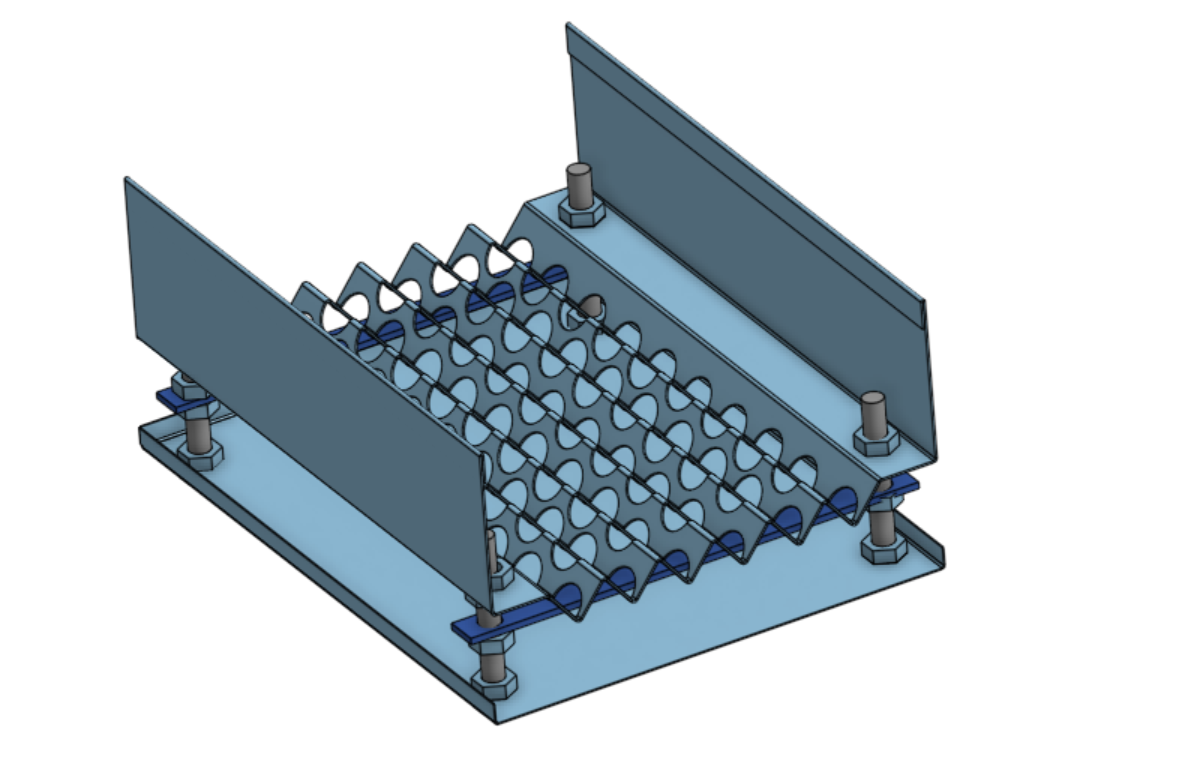 This raises the question of what to do next. The options would appear to be to send the drawings to a few other firms with a note that the ash pan bend is optional. The second alternative would seem to be to design a cutting layout and then buy the sheet material for DIY cutting. The prototype Snipe boiler casing was built in that manner so it is a perfectly feasible option.
For readers who would like to examine the 3D and flat sheet drawings please contact us. Concrete CMS does not allow us to upload DXF, STEP or STL files.
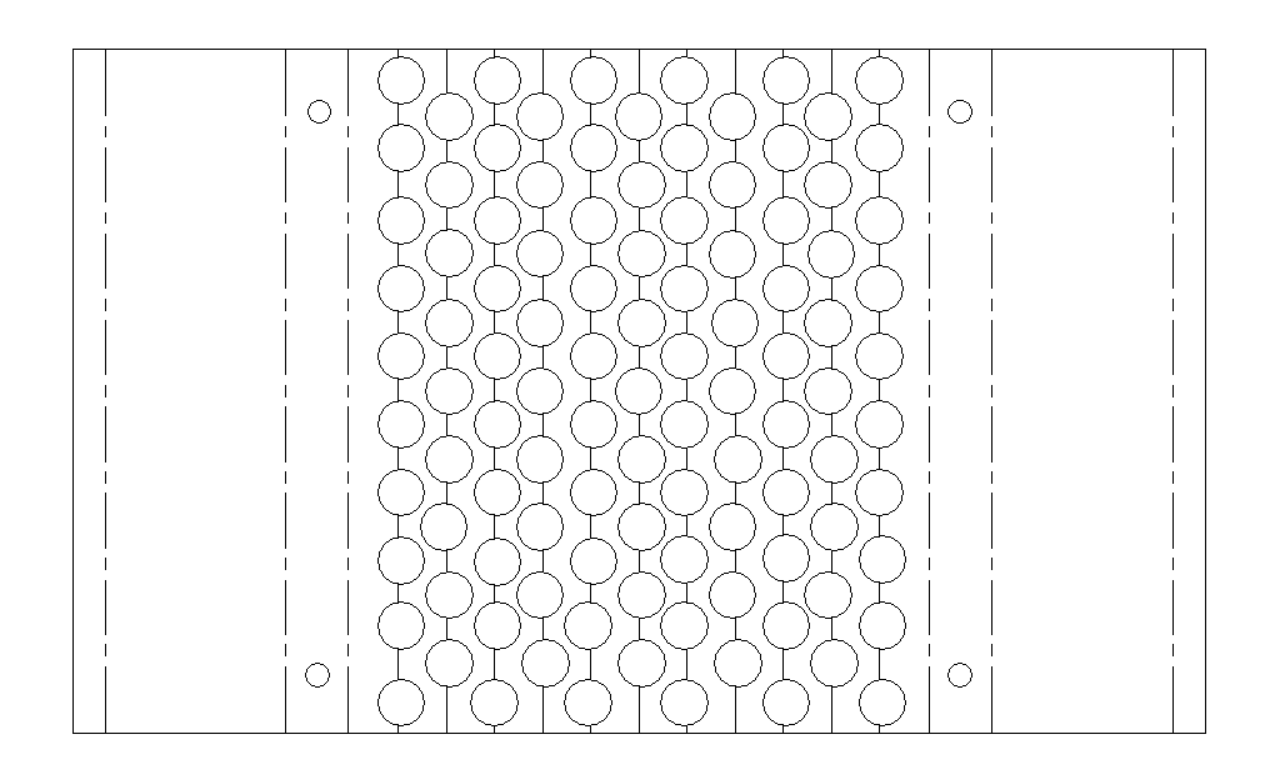 The flat format design of the grate is given below (left).